
The short answer
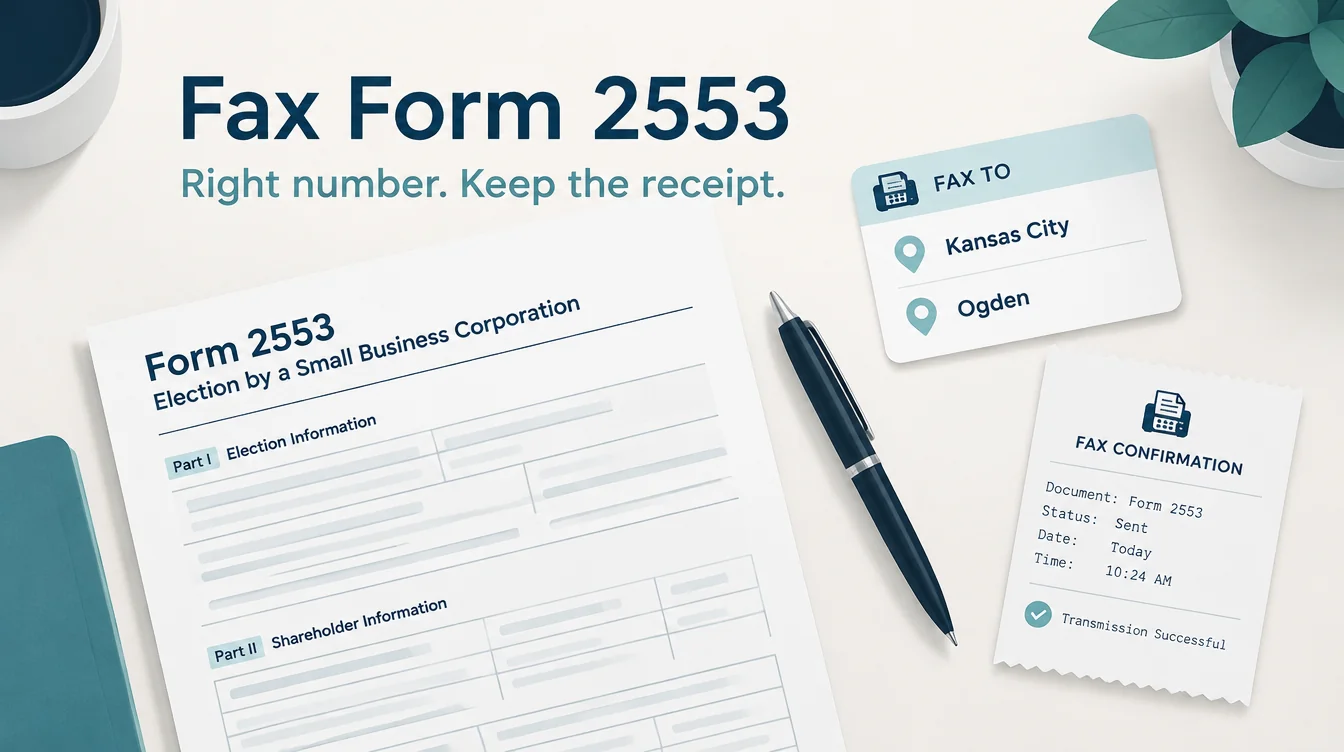
To fax Form 2553, use the IRS fax number that matches the state where the corporation's principal business, office or agency is located. There are two public numbers today: 855-887-7734 (Kansas City) and 855-214-7520 (Ogden). Confirm both on the IRS where to file Form 2553 page on the day you send. Numbers and routing can change.
Send the complete signed election once. Save the fax confirmation. A Delivered status means the transmission completed. It does not mean the IRS has accepted the S corporation election.
This guide is for accountants and formation advisors who need a clear send-and-retain loop. It is workflow guidance, not tax or legal advice. For election eligibility, timing, shareholder consents and late-election relief, use the current Instructions for Form 2553 and a qualified tax professional.
Related FaxDash guides: IRS fax numbers by form, A fax workflow for small tax offices, How to fax IRS Form 2848 or 8821, and Why CAF rejected your Form 2848. Industry hub: FaxDash for accounting.
Find the current fax number by state
Checked October 27, 2026 on the IRS where-to-file page (page last reviewed or updated June 28, 2026). Match the entity's principal business, office or agency state, not a fax provider's default.
| If the principal business, office or agency is in… | IRS Center | Fax number (as listed Oct 27, 2026) |
|---|---|---|
| Connecticut, Delaware, District of Columbia, Georgia, Illinois, Indiana, Kentucky, Maine, Maryland, Massachusetts, Michigan, New Hampshire, New Jersey, New York, North Carolina, Ohio, Pennsylvania, Rhode Island, South Carolina, Tennessee, Vermont, Virginia, West Virginia, Wisconsin | Kansas City, MO 64999 | 855-887-7734 |
| Alabama, Alaska, Arizona, Arkansas, California, Colorado, Florida, Hawaii, Idaho, Iowa, Kansas, Louisiana, Minnesota, Mississippi, Missouri, Montana, Nebraska, Nevada, New Mexico, North Dakota, Oklahoma, Oregon, South Dakota, Texas, Utah, Washington, Wyoming | Ogden, UT 84201 | 855-214-7520 |
Mailing addresses for the same centers are on the same IRS page if you mail instead of fax. Re-check Where to file your taxes (for Form 2553) before every send. The Instructions for Form 2553 Where To File chart points to that page for the latest information.
Prepare the election before you fax
Stay high-level. The IRS instructions control the details.
- Use the current Form 2553 from IRS.gov (About Form 2553).
- Confirm who must sign. Officers and shareholders have separate signature and consent rules in the instructions, including column K shareholder consents.
- Confirm the filing window for the effective date you need. The instructions describe the general timing rule and separate late-election relief paths. Do not invent a deadline from this article.
- If you fax, the instructions say to keep the original Form 2553 with the corporation's permanent records. Fax a complete, readable scan of the signed pages. Do not treat a partial packet as "close enough."
- Late elections and Rev. Proc. relief are tax questions. Point those to the IRS instructions and a tax professional. Do not use a second fax as a substitute for reading the late-election rules.
Stop here if signatures or consents are incomplete. A clean transmission of an incomplete election does not fix the form.
Send once, then wait for the final status
- Enter only the IRS fax number that matches the state table above (re-checked today).
- Attach the complete signed PDF. Check readability, page order and that the file opens without a password. See How to prepare a document so it faxes cleanly if you need a prep pass.
- Send once. Wait for the final result in history.
- If the fax shows Delivered, download and save the confirmation with the client file. Per the FaxDash Help Center, delivered faxes include a confirmation you can download (on the web dashboard: Download Receipt on Sent Faxes). It lists the destination number, the page count, and when the fax was sent and completed.
- Do not fax the same complete election again while the first attempt is still pending, and do not fax a second copy "to be safe" after Delivered unless the IRS or your tax professional tells you to.
If the result is Failed, check the number, the file and credits, then resend once after a final Failed status. See Why a fax fails to connect.
What to keep while you wait
Keep transmission success and IRS acceptance in separate columns.
| Keep | What it shows | What it does not show |
|---|---|---|
| Signed original Form 2553 (and attachments) | What the corporation filed | That the IRS accepted the election |
| Fax confirmation / Download Receipt | Destination, page count, send and complete times | That a human at the IRS accepted Form 2553 |
| Date and route logged | Which number you used and when | Processing outcome |
| Later IRS notice of acceptance or nonacceptance | IRS response, when it arrives | Anything about the fax network alone |
The Instructions for Form 2553 say that if the corporation is not notified of acceptance or nonacceptance within 2 months of the filing date (date faxed or mailed), or within 5 months if box Q1 is checked, take follow-up action by calling 1-800-829-4933. That is IRS follow-up guidance, not a promise that a notice will arrive on a fixed day.
Some third-party fax pages refer to an IRS acceptance letter (often called CP261) and mention waits of many weeks. Treat those as unofficial descriptions. Re-check IRS.gov and your tax professional for how acceptance is communicated for your filing. Do not promise a client a 60-day or multi-day processing time from a competitor page.
Compare the record you keep for an election packet
For a signed election and its attachments, prioritize a complete packet and a receipt you can put in the corporation's permanent file. FaxDash's web sender combines PDF and image uploads, and Download Receipt records the destination, page count and transmission times.
Fax.Plus also documents a downloadable confirmation report; FaxZero reports the final status by email. Compare how each record fits your filing routine. We make FaxDash, and this is a comparison of documented features, not proof that one service establishes timely filing.
Do not omit required pages to fit a service's packet limit. The IRS instructions require retaining the original Form 2553 in the corporation's permanent records when filing by fax. Save the sent scan and confirmation too, and keep later IRS acceptance correspondence separately. A transmission receipt does not establish election acceptance or guarantee timely filing.
Where FaxDash Business helps
Formation desks often file several elections in a season. The risk after a clean Delivered result is a second person faxing the same packet while everyone waits for IRS mail. FaxDash Business teams are set up from the web dashboard. Shared sent history shows who sent each fax. Team seats are you plus 2 on Business, with extra seats available.
That history records transmission results. It does not replace IRS notices. Use it to keep confirmations findable and to prevent duplicate sends.
See how FaxDash Business works for small teams.
When to stop and ask
- Election, timing, consents or late relief: current IRS instructions and a qualified tax professional. This article is not tax advice.
- No IRS acceptance or nonacceptance notice after the instruction windows above: follow the IRS follow-up number in the instructions (1-800-829-4933), not repeated faxes of the same packet.
- A fax that will not go through after you have checked the number and the file: email support@faxdash.io with the destination number, the status and the date and time. Leave EINs, shareholder names and form contents out of the email.
This guide is general information, not legal or tax advice. Fax numbers, forms and agency rules change, so check the agency's official page before you send. FaxDash isn't responsible for decisions made or actions taken based on this guide. For advice about your situation, talk to a qualified tax professional or attorney.