
There is no fixed time for a fax to send. It depends mostly on how many pages you send, how much is on each page, and the line and machine at the other end. FaxDash doesn't publish a per-page time, and neither do we. What you can do is watch the fax's status: every fax shows sending, delivered or failed in your history, and you get a notification when it completes.
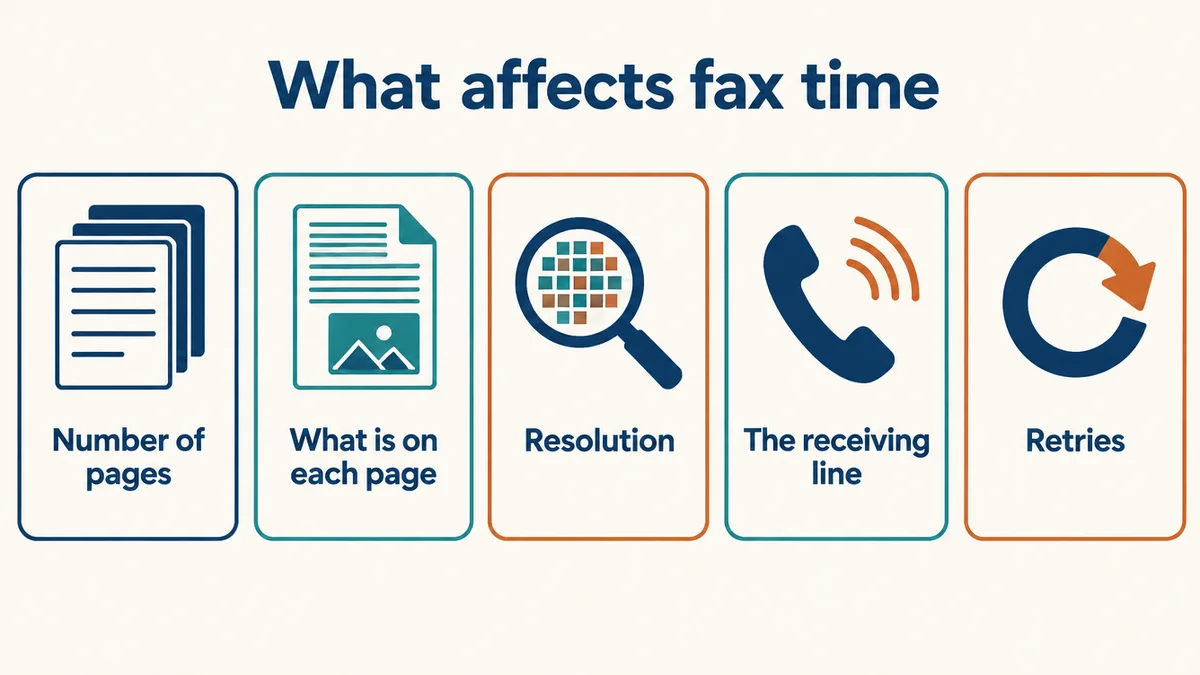
What affects how long a fax takes
| Factor | Why it matters | What you can do |
|---|---|---|
| Number of pages | Each page is sent one after another | Send only the pages the recipient needs |
| What is on each page | Our advice: dense, photo-heavy pages often take longer than plain text | Scan clean, high-contrast pages |
| Resolution | Fax machines generally agree on settings such as resolution when they connect. The international procedures for fax over phone lines are in ITU-T T.30 | Our advice: black-and-white pages are generally the safest choice |
| The receiving line and machine | A busy line, a machine that doesn't answer or a poor connection all add time | Check the number is a fax line; call the recipient if it keeps failing |
| Retries | FaxDash retries automatically when a failure looks temporary, such as a busy line | Wait for the final status before you resend |
Our advice: machines often drop to a slower speed when a line isn't good enough for a faster one, which is one reason the same fax can take longer to one recipient than another.
If a fax seems slow: what to check
Start with the checks that change nothing, and only resend once the fax has a final status.
1. Check the status
Open your history. Sending means it isn't finished yet. Delivered means the transmission completed. Failed means every attempt failed. Our advice: if it still shows Sending, wait. Sending it again now could put two copies on the recipient's machine.
2. Check your notifications
FaxDash sends a push notification when a fax is delivered or fails, and an email too, unless you've turned emails off in Settings. Missed one? Push notifications are also kept in the notification inbox in the app and the web dashboard.
3. Check whether it was scheduled
If you chose a future date and time when composing the fax, FaxDash sends it then, not straight away.
4. If it failed, check the number before you resend
If every attempt fails, the fax is marked Failed, you get a push notification and an email, and the credits it used go back to your balance. If the first attempt fails in a way that retrying rarely fixes, FaxDash tells you straight away instead of after every retry. Check that the number is a fax line, then see how to resend a failed fax and why a fax fails to connect.
5. If it shows Delivered but the recipient can't find it
Delivered means the transmission completed, not that someone has seen it. Call the recipient through a number you already know. See what a fax confirmation proves.
When timing matters
Our advice for a fax with a deadline:
- Send early, so there is time for a busy line, a retry or a call to the recipient.
- Send a short test first if you have never faxed that number. See how to send a test fax.
- Trim the pages. Send what the recipient asked for, and check the file first. See how to prepare a document so it faxes cleanly and how to fax multiple pages or files as one fax.
- Keep the receipt. When the fax shows Delivered, download the receipt from the Sent Faxes page of the web dashboard. It lists the destination number, the page count, and when the fax was sent and completed, so you have the actual times on record.
FAQ
How long does a one-page fax take? There is no fixed time. It depends on the page and the receiving line. Watch the status in your history for the actual result.
Why is my fax still showing Sending? It hasn't finished. The line may be busy, or FaxDash may be retrying after a temporary failure. Wait for Delivered or Failed before you resend.
Can I see exactly when my fax was sent and completed? Yes. The receipt you download for a delivered fax lists when it was sent and completed.
Does a longer fax cost more? Yes, by pages, not by time. A fax to a U.S. (+1) number uses 1 credit per page.
Will FaxDash keep trying if the line is busy? FaxDash retries automatically when a failure looks temporary, such as a busy line. If every attempt fails, the fax is marked Failed and the credits go back to your balance.
Product details checked October 31, 2026, against FaxDash Help: sending faxes; pricing and billing; account and troubleshooting. Standard reference: ITU-T Recommendation T.30.