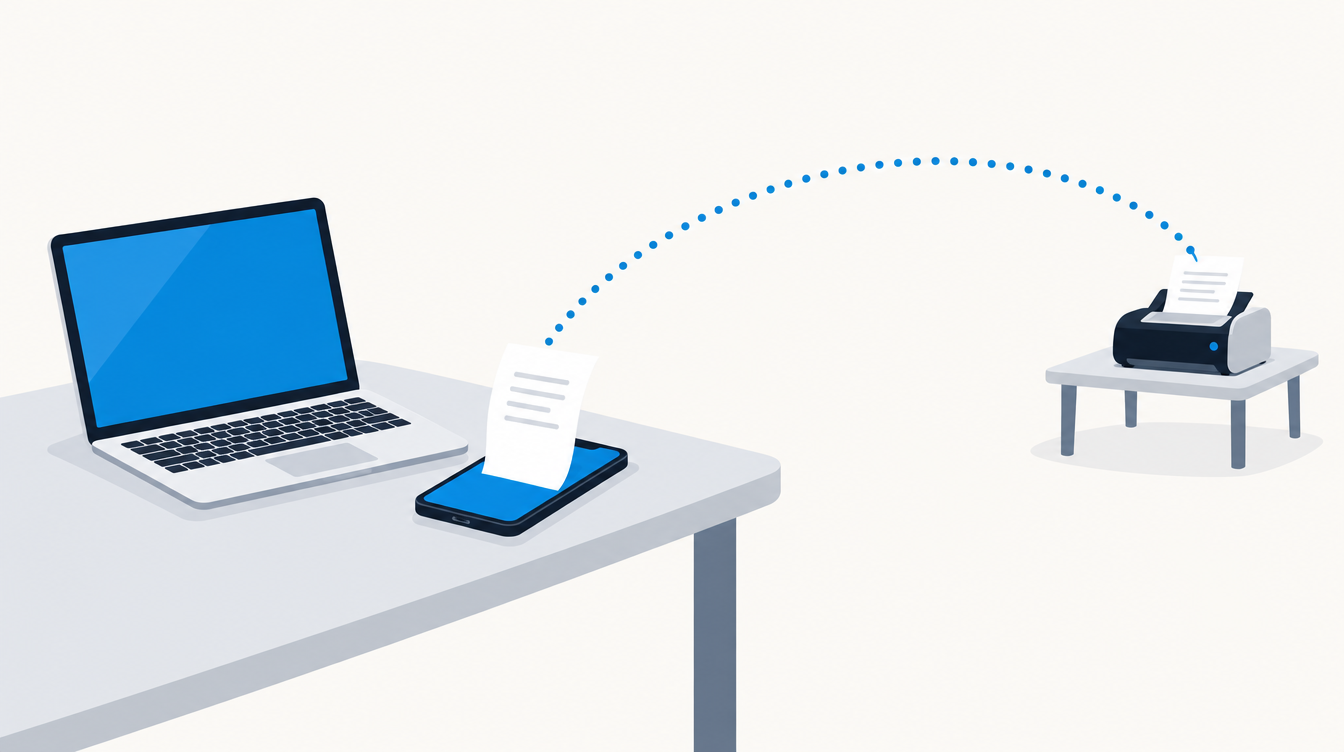
You have a form to send to an office that still takes fax, and the instructions list the office's fax number. Then a second thought arrives: does a fax need a number at both ends? The short answer is no. You need the recipient's fax number to send. You need a fax number of your own only for two things: receiving faxes, and sending by email.
This guide separates what sending needs from what receiving needs, so you do not pay for a number you will not use, and so you know when you do need one. It builds on our main guide to how to fax from a computer, phone or email.
Short answer
- To send from the app or the web dashboard: no number of your own. FaxDash's getting started help says sending from the app or web dashboard does not require your own number.
- To send by email: yes. Email-to-fax sends from your own FaxDash number, which needs an active receive plan.
- To receive faxes: yes. A dedicated number activated with a receive plan.
- To send at all: the recipient's fax number, a FaxDash account, a document and credits.
What each task needs
| Task | Your own FaxDash number? | Also needs |
|---|---|---|
| Send from the phone app | No | Account, credits, recipient fax number |
| Send from the web dashboard | No | Account, credits, recipient fax number |
| Send by email-to-fax | Yes, with an active receive plan | Sending from the email address on your account |
| Receive faxes | Yes, with an active receive plan | A number chosen in the dashboard |
The sources are FaxDash's getting started, sending and receiving help pages. FaxDash is pay-as-you-go for sending, and the help says there is no fax machine, no phone line and no monthly contract required to send.
What you do need to send
- The recipient's fax number. It must be a fax line, not an ordinary voice line. FaxDash's troubleshooting help lists a voice line as the first thing to rule out when a fax keeps failing. In FaxDash, enter the number in international format, with a + and the country code. For a US number that is +1 and the ten digits. How to send an international fax covers other countries.
- A FaxDash account. You can sign in with Google, Apple, or an email address and password.
- Credits. You buy credits and use them when you like. They never expire.
- A document. Scan it with the app's camera or upload a PDF or images on the web dashboard.
What changes when someone has to fax you back
Sending does not give you a number. If the office you are faxing will reply by fax, they need a number to send to, and that is a receiving number.
FaxDash's help does not say what sender number the recipient's machine will show for a send-only fax. Do not assume it works as a reply number, and email support@faxdash.io if you need to know. If you expect a reply by fax, put a number you can receive on, or another way to reach you, on the cover page. FaxDash's cover page builder adds your name and number, the recipient, a subject and a short message. For what to write, see what to put on a fax cover sheet.
A hypothetical decision
Hypothetical example, not a customer story. A person has to send a signed lease addendum to a property office once. They need a recipient number, an account and a few credits. A number would add a recurring plan for a task they do once, so they do not need one.
A second person, a freelancer, sends fax paperwork each month and expects replies by fax. They need a number, because the replies have to land somewhere, and because they want to send by email from their usual inbox. For them a receive plan makes sense, and the number is the address those replies and emails depend on.
How eFax and Fax.Plus describe it
Compared on features only, from each company's own pages, checked November 10, 2026:
- Fax.Plus answers the question in its help center: you do not need a fax number to send, and you can send from the web app, Android or iOS. It notes that Email to Fax needs a paid plan.
- eFax says in its email-to-fax guide that you need an email address, an eFax account and an internet connection, and sends to the recipient's number followed by
@send.efax.com. Its computer guide says an eFax account comes with a dedicated fax number linked to the service.
The difference is where email sending is anchored. With FaxDash, an emailed fax goes from your own number, so it needs a receive plan. eFax's email address format uses the recipient's number at its send domain, and its account includes a number. Which is better depends on whether you want one number for everything or a send-only setup you pay for per page.
Where this goes wrong
- Buying a receive plan to send once. You do not need one. Sending from the app or dashboard does not use it.
- Typing a US number without the country code. In the app, your own country's prefix is added as soon as you start typing unless you type + first. Outside the US, start with +1.
- Expecting a reply with no receiving number. Plan for how the other side will respond before you send.
- Trying email-to-fax with no number. Without an active receive number, the email route is not available. Use the app or the dashboard.
If a send fails, the credits it used go back to your balance. See how to resend a failed fax.
Decision rule
Send-only is enough when you are sending and expect no fax in return. Add a number when you need to receive faxes or send by email. A receive number starts with the Starter plan at $3.99 a month, per FaxDash's pricing page, checked November 10, 2026.
Cost
Sending is pay-as-you-go: 1 credit per page to US (+1) numbers, including Canada, and more credits per page elsewhere. Credit packs start at 5 pages for $0.99 and credits never expire. A cover page counts as one more page. FaxDash offers 2 free pages when you sign up.
FAQ
Do I need a landline or a fax machine?
No. FaxDash's help says there is no fax machine, no phone line and no monthly contract required to send.
Do I need a subscription to send?
No. A subscription is only needed if you want a number to receive faxes.
Can I send from my phone without a number?
Yes. Scan or pick a PDF in the app, enter the recipient's fax number and send.
Can I get a number later?
Yes. Choose a number in the web dashboard under Fax Numbers, after you have an active receive plan. The help lists the steps.